Selecting a proper chair and workstation for your specific job can significantly reduce back pain. Are you using a workstation suited to your tasks? Read what Dr. John Triano, D.C., an ergonomics expert, a chiropractor in Texas, and a Medical Advisor and contributing author for Spine-health.com, and Grant Cooper, M.D., host of Back Pain Radio, had to say about ergonomics and back pain on the May 2, 2005 show.
Below is the transcript summary from the Back Pain Radio show on back pain and ergonomics, broadcast on May 2, 2005.
Dr. Cooper:
I’d like to ask you about ergonomics and back pain, but first, on the front page of www.spine-health.com this week, there’s an article you wrote about glucosamine and chondroitin sulfate for the treatment of osteoarthritis, and I’d like to ask you a few questions on that topic. Now, glucosamine and chondroitin sulfate are used to treat arthritis. Generally we think of that in the hip and the knee—that’s traditionally what we’ve been using glucosamine and chondroitin sulfate for. But of course osteoarthritis can occur in other joints in the body and in particular it can occur in the back. Before we talk about glucosamine and chondroitin sulfate as a treatment for osteoarthritis in the back, what percent of people feel relief from glucosamine and chondroitin sulfate when it’s used for hip and knee pain from osteoarthritis?
Dr. Triano:
Well, it’s over 50% that get some relief from it and many of the people get significant relief. What people have to understand, though, is that this is not a pain medication, that you can’t take it as an aspirin and feel better tomorrow. This is something they need to take over a prolonged period of time because it’s a nutrient. It works on the basis of what’s called the half-life, and the half-life means the amount of time in which half the cells turn over and utilize the nutrients to build new material and new cells. The half-life for cartilage is about 150 days, so you need to be working with this for around 90 days or more before you expect it to show any significant change in your symptoms. So, that’s the way it’s used, and the patients that have been using it consistently find that better than half (perhaps even closer to 65%-70%) of them are showing significant relief.
Dr. Cooper:
And that’s after about 3 months of use. Then, do you take it indefinitely?
Dr. Triano:
Yes, like bones needing calcium on an ongoing basis because your body turns over the calcium in the bone. It’s the same in the cartilage. Yes, it really is a good thing for folks who have degenerative problems affecting the cartilage that once they begin to use it (glucosamine and chondroitin sulfate), if they find it useful, it should become a part of their nutritional support.
Dr. Cooper:
Are there any side effects from taking these nutritional supplements?
Dr. Triano:
There are no significant side effects that have been noted in the literature that I’m aware of, no sir.
Dr. Cooper:
So for back pain, there aren’t really any studies out there yet. They might be ongoing, is that right?
Dr. Triano:
There are a couple that are in process right now. The early results look essentially the same as in the joints of the extremities.
Dr. Cooper:
Sounds very promising.
Dr. Triano:
It’s really too early to be absolutely sure, but if you use what we call similarity bias, which means that it looks like a joint, it behaves like a joint, it should get the same nutrients as a joint, then I think we’re going to see it being about the same effect.
Dr. Cooper:
Is this something that you might foresee, such as with calcium, as something that people would take before they develop osteoarthritis and pain as a preventive measure?
Dr. Triano:
I think it has that potential, yes sir, but nobody has yet done that study.
Dr. Cooper:
Very promising.
Dr. Cooper:
Let’s turn to ergonomics and back pain. The last time we were talking, we ended in a discussion about how best to use a chair to keep your back healthy, and I’d like to return to that topic first.
Dr. Triano:
Okay.
Dr. Cooper:
I got some e-mails from people after that show, and I’m sure there are some people listening, and people sitting in the office, who are saying, “look, I’ve got a chair, and it’s all right, but it doesn’t really support my low back, and it’s difficult to adjust the height of the seat,” but they don’t want to get a new chair because a new chair is expensive, it’s difficult…How can a person in that position adjust their current chair so that they can make it as good as possible for their back?
Dr. Triano:
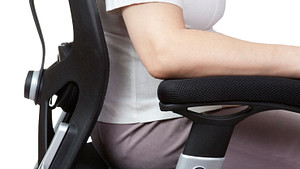
Well, that’s two problems that you’re raising here. One of them has to do with the depth or the length of the seat pan itself, which is the surface that you sit on. The other has to do with the height of the chair. If the problem is that they sit in the chair but they cannot get good back support, they have to look at how they are using it. Are they sitting on the front edge of the chair? If that’s true, then they’re not using the tool properly. They need to be able to bring the chair forward and sit fully back in the chair in order to get the full utility of the back support. If they’re a very short-statured individual, for example, and they can’t sit all of the way back, then there are two options. They really either need to get a new chair, or if they are unwilling to do that, there are various types of support pillows that have a curvature built into the pillow, that we call a lordotic curve, that can be placed behind them as a spacer, so to speak, and get them support that way. If they really can’t make it comfortable, and they really can’t get support, then they really do need to look at another option for a chair.
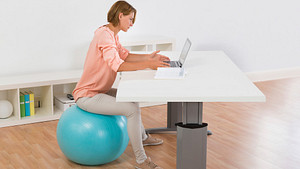
In terms of the height issue, if it’s too difficult to raise or lower or if it’s just not making them right size with respect to their workstation, then they’ve got a real mismatch between the surface that they’re working with, the chair that they’re using, and/or the task that they’re trying to perform. Some patients try to do tasks or work with a sitting position that really should be done using a standing position, and there are standing desks and tilt-top desks that make working in an upright standing posture much more comfortable. So take a look at your requirements and the nature of your tasks, such as you’re working and having to do a lot of reaching, e.g., getting books off of shelves, and consider using a standing workstation rather than a sitting workstation.
That raises another issue, which is, “Gee, I stand all day and my feet get tired and I’d really like to get a chance to rest a little bit.” There’s actually a compromise between sitting and standing: it’s called a semi-seated workstation. It’s a little bit like going out on a social evening, going to the local pub, and occasionally you find one that just has a plank built into the wall that’s just high enough that you can back up against it and lean on it, sort of half-sitting, and your knees are bent and you’re a little more relaxed than standing, but you’re not fully sitting. You’re also taller than you would be otherwise. They make chairs now that are designed for that kind of situation, so that you can be in a semi-seated position, have a taller workstation, and still at the same time have the advantages of not being on your feet constantly all day long.
So you can look into those kind of working environments based on your needs. But if you can’t make the chair fit the desk surface that you’re working on, it might be because you’re trying to do something while seated at the desk that you should be doing standing.
Dr. Cooper:
If someone was interested in getting one of these semi-seated, or semi-standing, workstations, how would he/she go about that?
Dr. Triano:
There are different companies that make these. They’re not your everyday device, but there are different companies that make them, and you can go to places that sell supplies for people with back problems because they usually have some access to these. Alternatively, I would just start out by getting online and putting in a search for semi-seated workstations.
Dr. Cooper:
Are these usually adjustable, is there one kind that’s better than another, or do you need to just try them and find out what’s most comfortable for you?
Dr. Triano:
Well, they are adjustable, and like a chair, the more adjustment you put into them the more expensive these things get. I have seen them as high as $7,000 for a fully adjustable workstation that can take you from standing to sitting and anywhere in between.
Dr. Cooper:
That’s the Rolls Royce, I would imagine, of workstations.
Dr. Triano:
Yeah, it’s a bit extravagant. Or they come in very simple situations where it’s a stand, or a seat platform, that’s angled at 45 degrees and it has a back on it, those kind of things. It really does depend on your need. If you’re going to be there a long time, all day if you’re a draftsman for example, and you’re in that kind of a situation, it might be worth a very expensive semi-seated workstation. But, if you’re going to be doing this on occasion, if you’re someone working in a home office for example, and you have to be multi-tasking, using the phone, working with bookshelves, etc., then you can probably do this very inexpensively and for the cost of a usual chair that you might get at a mass retailer.
Dr. Cooper:
If you’re in one of these semi-standing workstations, at a 45 degree angle, should you have your feet flat on the ground or should you be shifting weight? Is there a certain way to use the workstation?
Dr. Triano:
Well, it’s another one of the situations where you’re going to be moving back and forth. I think one of the things we talked about last time was that while in a seated position, if you sit in one position all the time, that’s a problem. Your body’s really meant to move, and moving periodically back and forth from forward to backward, etc. is a good thing. Same thing in a semi-seated workstation, but in reality what you’re really going to be doing in that situation most of the time is that you’re going to be leaning with your backside up against this support, your knees are going to be slightly bent, and your feet out in front of you. This gives you a lot more flexibility with your upper body, and then you’re going to find, as you need to reach, that you’re actually going to move forward into a fully standing position and then come back down. People who use these semi-seated workstations usually are in an environment where they have to move more often than someone who’s in a chair anyway.
Dr. Cooper:
Very interesting.
Dr. Cooper:
We just have a couple of minutes left, but I’d like to ask you: for people who spend a lot of time in the car, what’s good driving posture?
Dr. Triano:
Oh, wow. Well, that depends a lot on the kind of car that you have. Probably the worst driving posture that you see are the folks who are sitting forward all the time and their head is kind of cocked back—tipped all the way back—and they’re slump-shouldered forward. That’s usually a position that either means they have a very improperly fit seat in the car, or they have it adjusted in such a fashion that they really aren’t getting any support. The best way to sit in a car is with the seat back leaned back just past vertical—in degrees it’s about 110 degrees.
Dr. Cooper:
So, just a little past perpendicular.
Dr. Triano:
That’s right, just a little bit past perpendicular, and forward just enough that you can reach the pedals comfortably. In that position, your knees should be bent and you should be up off the front edge of the seat, as we talked about in a regular seated position. In that position, you have an opportunity to be more comfortable longer, but like anything else, especially people who drive for a long time, changing position is important. That’s why the cars these days have inflatable seat backs, and they can move very easily with the flip of a switch or reaching down and pulling a lever and getting a shift in your position. So, you want to move the chair forward, you want to move the chair back, you want to increase the pressure on your lower back if you have that adjustment, then you want to decrease it. You want to do that kind of shifting at least every twenty to thirty minutes.
To hear the complete 16-minute audio archive transcript of this show segment on Back Pain Radio, please click here.
Additional disclaimer: Spine-health.com does not offer medical advice or treatment. This information does not replace the physician-patient relationship, and the information is not medical advice or treatment. It should only be considered as a physician's opinion. Patients should always seek the advice of a trained health professional for back pain or any health condition. Please note that the contents of this section have not been peer reviewed by Spine-health.com’s Medical Advisory Board.